Red Glen Electronics (RGE) — Training
Step-by-step learning that builds real confidence using your devices.
Clear, Practical Tech Learning — At Your Pace

Start Your Tech Confidence PathThis quick roadmap shows the easiest way
to build your tech confidence—one comfortable step at a time.👉 View the RGE Tech Confidence Path(PDF)
Here you’ll find easy-to-follow explanations, short walkthroughs, and real-world examples designed to help you understand today’s devices and tools at your own pace.There’s nothing to sign up for, nothing to “finish,” and no pressure to keep up — just helpful training you can explore, revisit, and use when it’s convenient for you.
Quick Contact Guide
Use these 4 selections below to quickly connect with Red Glen Electronics:



A Quick Look At RGE:
Website Contents By Section

Greetings from Red Glen Electronics, your home tech training resource!Use the fixed menu above (or the ☰ menu on mobile) to jump to any specific section/learning guide.The site is designed for a single, clean scroll—simple and easy to follow.Click menu item "Main RGE Home" to return to Home Base.*RGE Training is for anyone who wants clear, practical help understanding today's technology — without pressure or technical jargon.Choose the topics that interest you and explore them in any order, at your own pace: There’s no set lineup and nothing you have to complete — you’re always in control.Our training website consists of the following sections —RGE Tech Education (Learning Guides):• How RGE Works (Our Approach)**
• AI/ChatGPT (Overview Sample)
• Access ChatGPT (Key Feature)
• Sidekick Chip (Key Feature)
• Job Search Success (Overview Sample)— with more learning guides added over time.




How RGE Works

Our ApproachAt Red Glen Electronics, the goal is simple:
help everyday folks feel comfortable using their technology — without pressure, jargon, or upselling.Here’s how we do that.
“These principles guide how every training session and recommendation is designed.”Jim Kallaugher
Home Tech Consultant
1. Vendor-Neutral, AlwaysAdvice first. Products second.No pushed brands. No bundles you don’t need.
Every recommendation is based on what works best for you.
2. Simplicity Comes FirstClear steps. Plain language. No assumptions.We slow things down and explain why things work — not just which button to tap.If it can’t be explained simply, it isn’t finished yet.
3. You Stay in ControlNo pressure. No deadlines. No “must-dos.”There’s no required path.
You choose what to explore, what to skip, and when you’re done.
4. Teaching, Not Just FixingToday’s solution should make tomorrow easier.Whenever possible, we show you how things work — so you’re more confident next time.The goal isn’t dependence.
The goal is confidence.
5. Human Help, Backed by Smart ToolsAI assists the work — the judgment stays human.
People stay at the center.Modern tools (including AI) help explain and document —
experience and judgment guide every recommendation.
AI & ChatGPT: Overviews
An RGE Training Project Sample
Your friendly starting point for AI & ChatGPT

Why AI & ChatGPT?• Simplifies everyday tasks
• Easy-to-use interface
• Infinitely flexible to serve customers' many diverse needs.What you'll learn in these presentation Overviews: (Difficulty Degrees) You don’t need to watch everything — start where you’re comfortable.• How AI Works (Moderate)
• How ChatGPT Works (Moderate)
• Welcome to ChatGPT for Seniors (Mild)Optional• AI & ChatGPT — A Clear, No-Jargon Walkthrough (Comprehensive)
• AI Concepts Expanded (Intermediate)
Video Summary (≈7 minutes total) — Clear, Friendly, and Practical:How AI Works (2:33), How ChatGPT Works (2:49), and ChatGPT for Seniors (1:33) work together as a simple introduction to AI and ChatGPT. You’ll learn what AI is, how ChatGPT functions, and how everyday people—especially seniors—can use it comfortably in real life.No jargon. No pressure. Just plain English, real examples, and a welcoming pace.
Optional Viewing:Go Deeper (If You’d Like)🔹 AI & ChatGPT — 3-Part Video Series
🔹 AI Concepts Expnaded
Video Summary (12:00m) — Thorough yet Intuitive:Part 1 (3:29m) defines AI & ChatGPT; Part 2 (4:33m) explains how they work; and Part 3 (4:29m) pulls it all together.Clear examples, steady pacing, and simple explanations make this ideal for seniors and beginners who want meaningful context without tech overload.
Video Summary (6:00m) — More Info, Still Accessible:
AI isn't confusing. This clear video explains what AI is, covering its four main areas — explained in plain English, so you don't need to be a tech wizard.
🔍 Tap image to enlarge. Click anywhere or press Esc to close.
Comic by Jerry Scott & Jim Borgman. Cropped under fair use.
View the series at Comics Kingdom
🔍 Tap image to enlarge. Click anywhere or press Esc to close.
Non Sequitur by Wiley Miller (© Wiley Ink). Cropped under fair use.
Distributed by Andrews McMeel Syndication. View the series at GoComics
Easy Access To ChatGPT
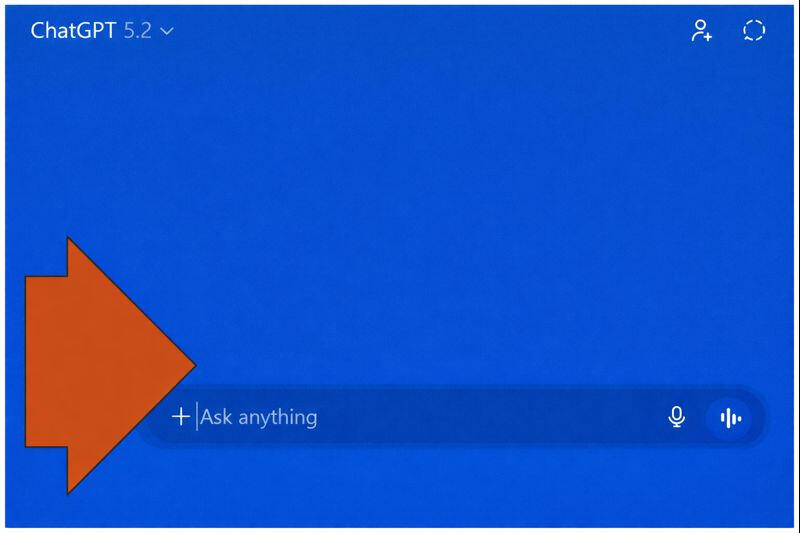
This section shows the simplest way to open and start using ChatGPT — safely, at your own pace, and without pressure.You don’t need to understand AI, sign up for anything paid, or “do it right.” Just follow the steps below.
The Easiest Way to Start Using ChatGPT✅ Primary CTA (Call To Action) prompt (the simple move)Step 1 — Open ChatGPTClick the Go to ChatGPT button below.
When the page opens, click the box at the bottom labeled “Ask anything,” then type your question.If this is your first time using ChatGPT, see step two below.RGE Tip 😁: Start simple. One clear sentence beats a novel.
Step 2 — Set Up a ChatGPT Account✅ This is a One-Time Setup (About 2 Minutes)
Note -- The first time you use ChatGPT, you'll create a free account:After your account is created, you can go straight to ChatGPT anytime using the Go to ChatGPT button above.• After you try your first question without an account, ChatGPT will state:
"To continue, please log in or create an account."
• Choose Sign up
• Enter your email (or use Google / Microsoft / Apple)
• Confirm your birthday
(This is standard account setup — no payments, no ads, and no information shared with RGE.
• Verify email and phone (if prompted)Note: RGE never sees or stores your login info.
✅ Optional: Install the ChatGPT App (Easier Access Later)
If you want one-tap access, you can install the official ChatGPT app:Desktops & Laptops• Microsoft Store (Windows)
• Mac App Store (macOS)Phones & Tablets• Google Play Store (Android)
• iOS App Store (iPhone/iPad)Safety note: Install the app by OpenAI (there are copycats).
✅ Good First Questions to Try“Explain this like I’m new to computers: what is a browser?”“My printer won’t print — ask me questions one at a time.”“Write a short email to my doctor about a prescription refill.”“What are the steps to restart my Wi-Fi router safely?”
Meet RGE's Chip:
Our ChatGPT Companion

Video Summary (1:00m): Meet Chip – RGE’s team mascot
A quick introduction to Chip’s personality and how he helps keep our AI & ChatGPT time educational, approachable, and fun.
Quick Take:• ChatGPT works perfectly well on its own.
• Chip is optional — he just makes things friendlier and slower.
• No app, no extra fees, no credit card required.
• Use the "Chip Prompt (see Sample Prompts below) to install it.
• You ask the questions. You stay in control.ChatGPT is the tool. Chip is the smile. And you're always in charge.Read more (optional):At Red Glen Electronics, we created Chip as a guide and sidekick to help you use ChatGPT comfortably.Chip doesn't replace ChatGPT or make decisions for you. He helps you clarify questions, ask them more effectively, and double-check your answers.Think of yourself as Sherlock Holmes, the decision-maker, and ChatGPT as Dr. Watson, the helper.
Chip simply makes Watson feel more familiar.Our goal isn’t to push AI. It’s to help people feel confident, stay in control, and learn at their own pace.Note: ChatGPT Plus ($20/month) offers faster responses and better handling of long text, but the free version is more than enough for most people.
Let’s start by looking at more effective prompting techniques…
📌 Tap image to enlarge. Click anywhere or press Esc to close.

Comic: Rhymes With Orange by Hilary B. Price & Rina Piccolo. Cropped under fair use.
© RWO Studios; distributed by King Features.
View the series at Comics Kingdom
A wink at how fast AI can crank out the next sequel…
📌 Tap image to enlarge. Click anywhere or press Esc to close.

Comic: Rhymes With Orange by Hilary B. Price & Rina Piccolo. Cropped under fair use.
© RWO Studios; distributed by King Features.
Job Search Success With AI & ChatGPT
An RGE Training Project Sample
Turn ChatGPT into your career coach
This series is ideal for job seekers of any age — including Boomers returning to work, consulting, or changing careers.
Learn how to use AI with this 3-part Job Search Success Video Series, with Epilogue (and Companion Guide), to:• Target and draft better resumes & cover letters using STAR Methods
• Prep for interviews also using STAR techniques
• Save time: AI drafts; you approve
• Become ATS-friendly: clean format, avoid mistakes
Job Search Success: A 3-part Job Search Success Video Series, with EpilogueIn just 14 minutes total, this four-part series shows how to use AI as
a practical “career sidekick” — starting with simple job-search steps, then sharpening your résumé and interview prep, and finally tying it all together into a repeatable weekly process.Part 1 (3:45m) sets the foundation, Part 2 (4:12m) focuses on résumé and messaging, Part 3 (4:01m) tackles interview prep and confidence, and a short Epilogue (2:05m) wraps things up with encouragement and next steps. Watch it straight through or revisit individual sections as time allows — no pressure, no hype, just practical help.
Job Search Companion Guide:
This guide complements the Job Search Success series, showing how to use AI and ChatGPT to improve your job search documents and stay organized with applications.Ready to dive in? Use the buttons above to view or download your complete Guide
Transparency NoteThis site uses modern tools (voice, video, AI) combined with hands-on experience, customer feedback, and human review.Nothing here is automated advice.
Everything here is intentional.
© 2025 Red Glen Electronics
🕵️♂️ Website Challenge: Find a typo anywhere on our site and win a Root Beer Float!
(Videos don’t count — some on-screen text is just image art, not readable print.)